
Description
Warranty Cart is a comprehensive WooCommerce extension that transforms how stores sell warranty products. Designed for businesses offering extended warranties, service contracts, or insurance products, it provides a complete solution from product display to warranty tracking.
Key Features:
– Shortcode Display: Flexible [warranty_cart] shortcode with customizable layouts (grid/list) and category filtering
– Bundle Management: Create main warranties and associated additional services with dynamic pricing
– One-Click Cart Addition: Seamless integration with WooCommerce cart and checkout
– External Payment Integration: Integrates with WooCommerce PayPal Payments and WooCommerce Gateway Stripe plugins
– Advanced Admin Dashboard: Modern React-based interface with Shadcn UI components for comprehensive warranty management
– Bulk Import: CSV-based bulk import functionality for efficient product setup
– Analytics & Reporting: Comprehensive sales reports with interactive charts and key performance metrics
– PDF Certificates: Automatic generation and email attachment of professional warranty certificates
– Email Notifications: Automated notifications for order completion, reminders, and expiration alerts
– Custom Checkout Fields: Additional warranty-specific fields during checkout process
– Order Management: Complete warranty order tracking and management system
– Integration Architecture: Extensible system for integrating with external payment plugins
– Security First: Input sanitization, nonce verification, PCI DSS compliance, and secure file handling
– HPOS Compatible: Full compatibility with WooCommerce High Performance Order Storage
– Modern UI/UX: Smooth animations and responsive design with Framer Motion
Requirements:
– WordPress 6.0+
– WooCommerce 8.0+
– PHP 7.4+
– MySQL 5.6+
Required Payment Plugins (choose at least one):
– WooCommerce PayPal Payments (v2.0.0+)
– WooCommerce Gateway Stripe (v7.0.0+)
Screenshots
Warranty product display with shortcode – Grid layout showing warranty options 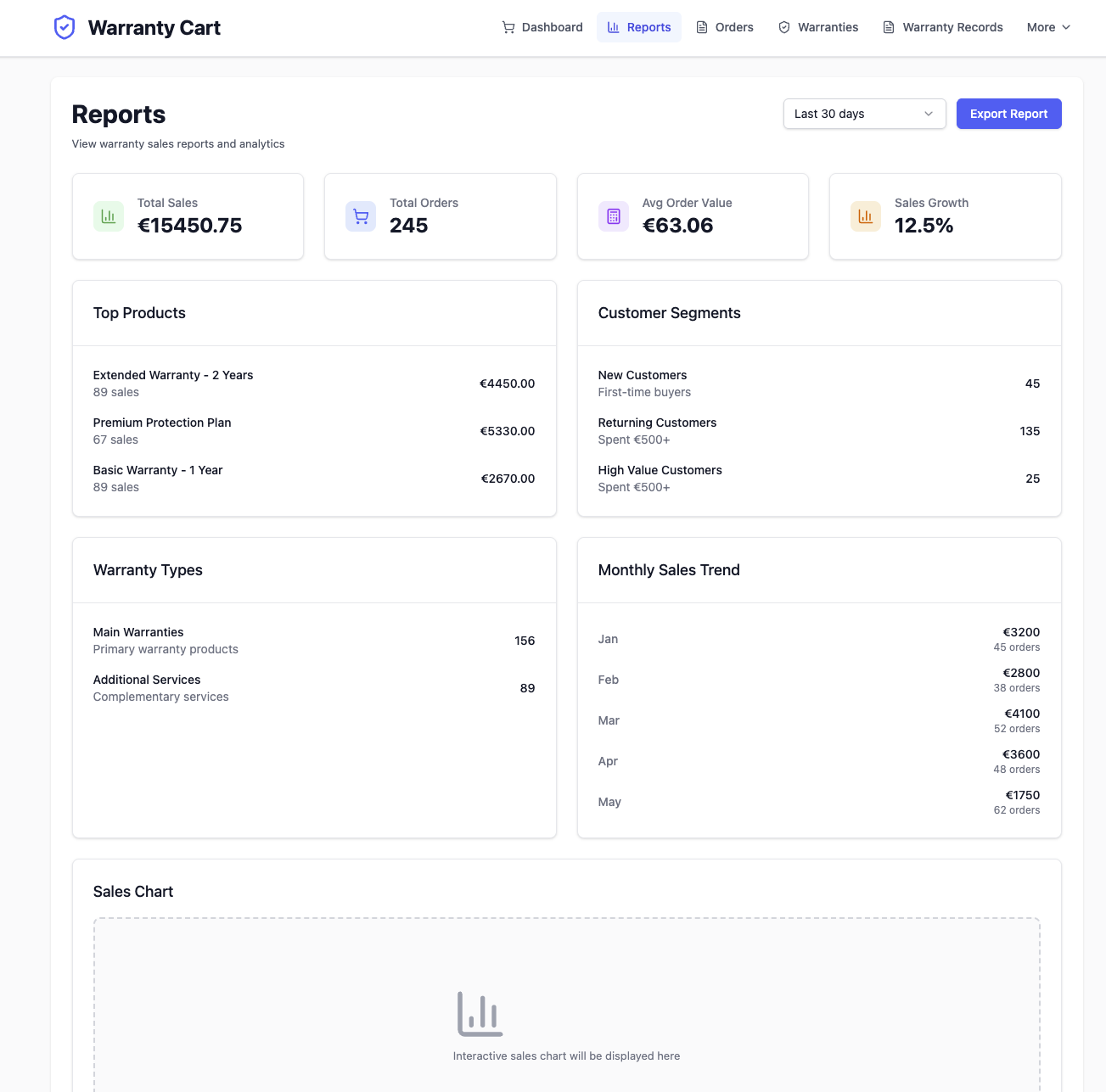
Bundle selection interface – Main warranty with additional service options 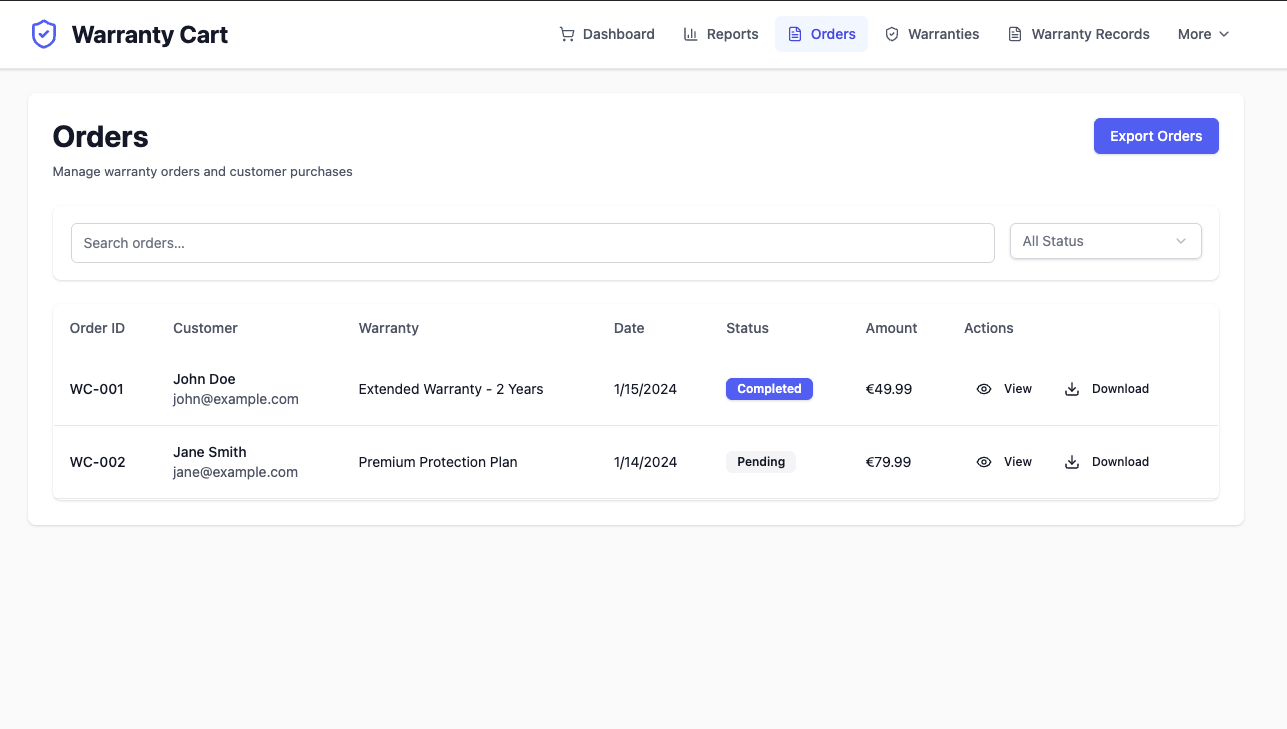
Checkout with custom payment gateways – Payment integration during checkout 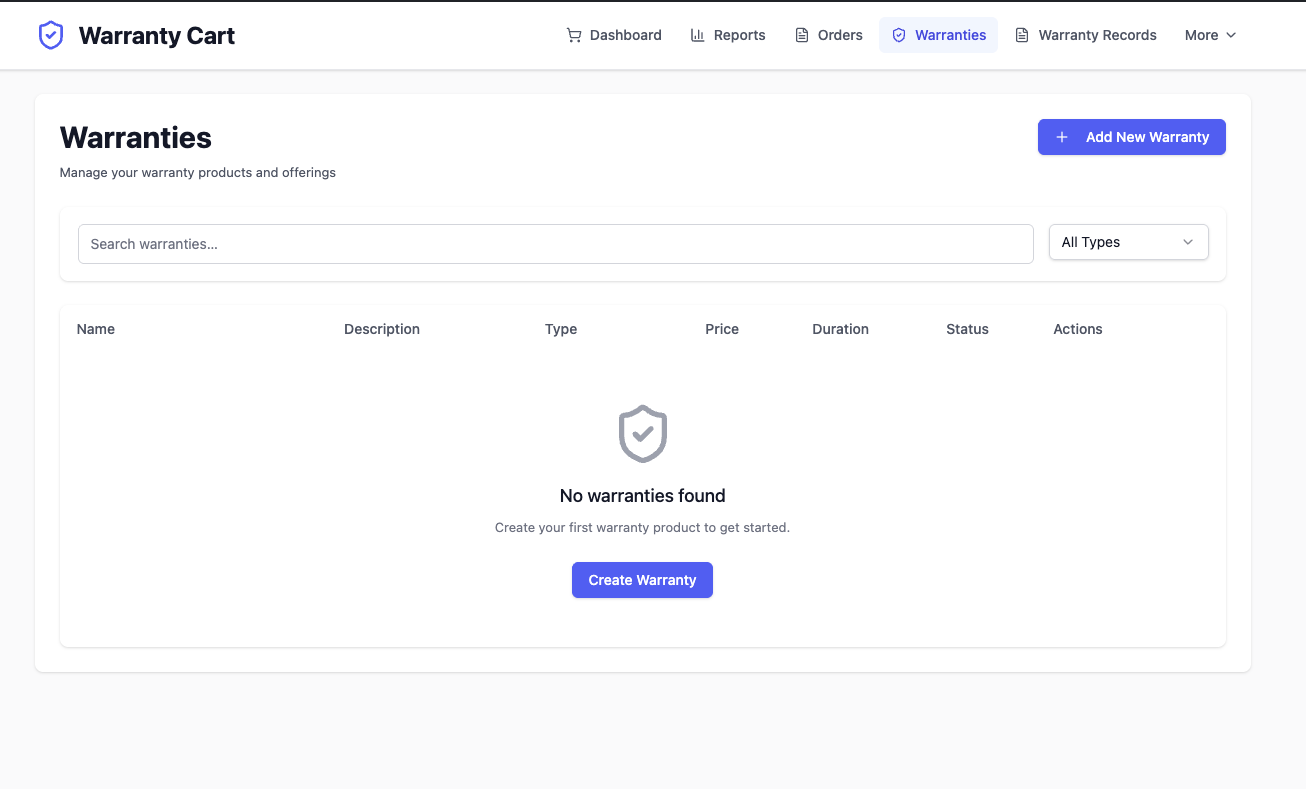
Admin product management tools – Modern React interface for warranty management
Installation
- Upload the plugin files to the
/wp-content/plugins/warranty-cartdirectory, or install the plugin through the WordPress plugins screen directly. - Activate the plugin through the ‘Plugins’ screen in WordPress.
- Install and activate WooCommerce (8.0+) if not already installed.
- Install and activate at least one required payment plugin:
- WooCommerce PayPal Payments (recommended v2.0.0+)
- WooCommerce Gateway Stripe (recommended v7.0.0+)
- Use the
[warranty_cart]shortcode to display warranty products on any page. - Configure payment gateways in WooCommerce > Settings > Payments.
- Access the warranty management dashboard at WooCommerce > Warranty Cart.
- Set up warranty products, configure email templates, and customize checkout fields.
Admin Interface:
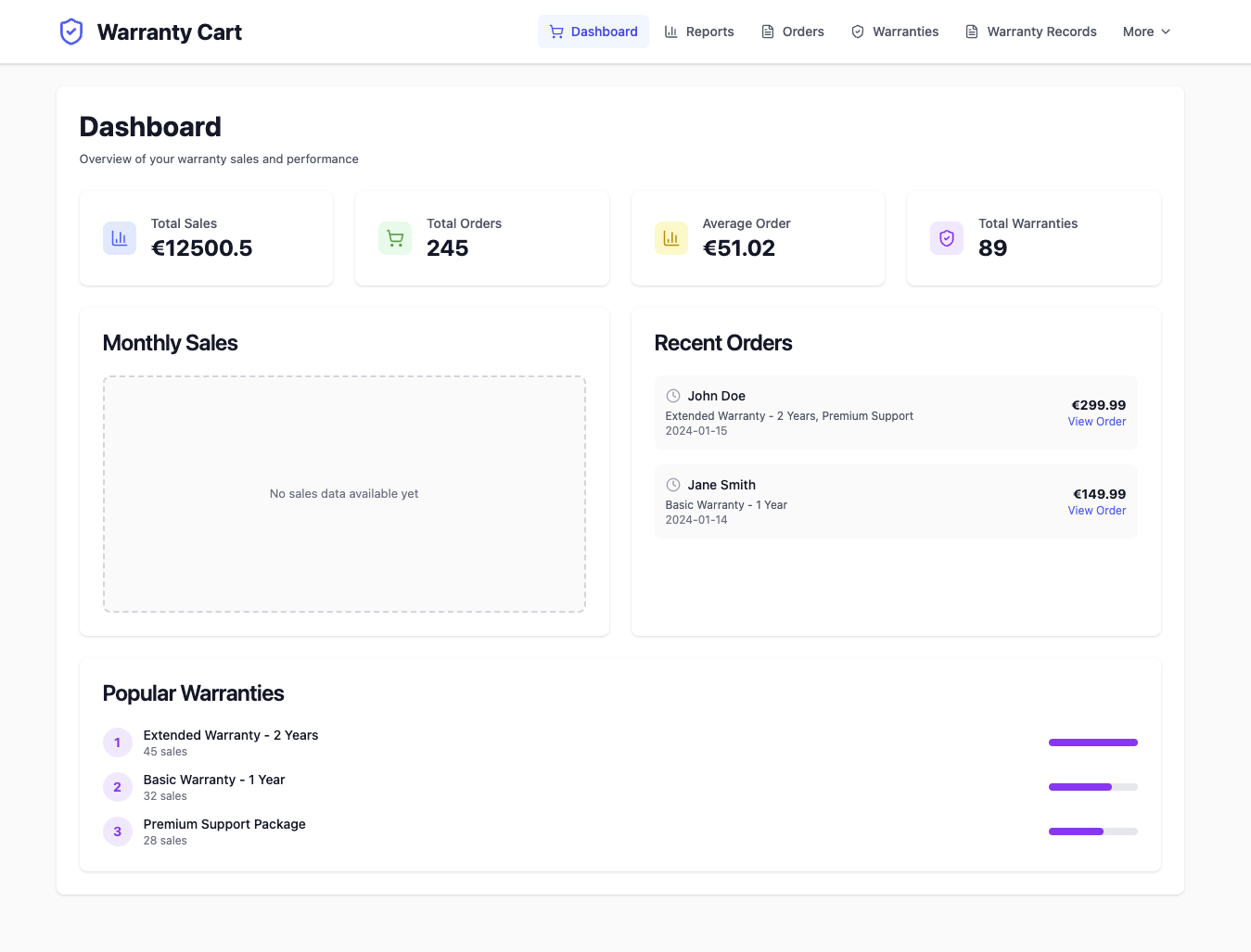
– Dashboard: Overview of warranty sales, analytics, and key metrics
– Warranties: Manage warranty products, bundles, and pricing
– Orders: Track warranty orders and customer information
– Reports: Detailed analytics with charts and performance data
– Settings: Configure plugin options, email templates, and checkout fields
– Tools: System maintenance, data import/export, and diagnostics
FAQ
-
How do I display warranty products?
-
Use the
[warranty_cart]shortcode on any page or post. You can customize it with parameters:[warranty_cart category="warranties" layout="grid"] -
What payment methods are supported?
-
The plugin integrates with external WooCommerce payment plugins:
– WooCommerce PayPal Payments (v2.0.0+)
– WooCommerce Gateway Stripe (v7.0.0+)The plugin does not handle payment processing directly – it only tracks warranty purchases made through these external plugins.
-
How do I configure payment gateways?
-
- Install and activate at least one supported payment plugin
- Go to WooCommerce > Settings > Payments
- Configure the payment plugin(s) with your API credentials
- The warranty plugin will automatically detect and integrate with active payment plugins
-
Why does the plugin require external payment plugins?
-
This approach provides several benefits:
– Uses official, well-maintained payment plugins
– Leverages existing payment infrastructure
– Reduces security risks by not handling payment data
– Allows stores to use their preferred payment setup
– Easier maintenance and updates -
Can I add more payment methods?
-
Yes! The plugin uses an integration architecture. Support for additional payment plugins can be added by creating new integration classes that extend the
AbstractIntegrationclass. -
How do I access the admin dashboard?
-
After installation, go to WooCommerce > Warranty Cart in your WordPress admin menu. This provides access to all warranty management features including the dashboard, product management, orders, reports, settings, and tools.
-
What are the different admin sections for?
-
- Dashboard: Overview with sales metrics, recent orders, and popular warranties
- Warranties: Create and manage warranty products and bundles
- Orders: View and manage warranty orders with customer details
- Reports: Analytics with charts showing sales performance and trends
- Settings: Configure email templates, checkout fields, and plugin options
- Tools: Import/export data, system diagnostics, and maintenance tools
-
How do warranty certificates work?
-
The plugin automatically generates PDF certificates for purchased warranties. These are attached to confirmation emails and can be downloaded from the customer account area. Certificates include warranty details, coverage information, and expiration dates.
-
Is the plugin secure?
-
Yes, security is a top priority:
– All inputs are sanitized and validated
– AJAX requests use WordPress nonces
– Integrates with secure, official payment plugins
– Sensitive data is never logged or stored
– No direct payment processing reduces security surface
– File uploads are validated and restricted to safe types
Reviews
There are no reviews for this plugin.
Contributors & Developers
“Warranty Cart” is open source software. The following people have contributed to this plugin.
Contributors
Translate “Warranty Cart” into your language.
Interested in development?
Browse the code, check out the SVN repository, or subscribe to the development log by RSS.
Changelog
1.0.0
- Initial release with comprehensive warranty cart functionality
- Shortcode-based product display with dynamic pricing and responsive layouts
- Modular payment architecture with Stripe & PayPal integration
- Advanced admin dashboard with modern React interface and Shadcn UI components
- Comprehensive warranty management system with order tracking
- Custom checkout fields for warranty-specific information
- Bulk CSV import functionality for efficient product setup
- Analytics & reporting dashboard with interactive charts and key metrics
- PDF warranty certificate generation and automated email attachment
- Email notification system for order completion, reminders, and expiration
- Bundle management for main warranties and additional services
- Security hardening with input sanitization and nonce verification
- HPOS compatibility with WooCommerce High Performance Order Storage
- Modern UI/UX with Framer Motion animations and smooth transitions
- Comprehensive testing framework with PHP and E2E tests
- Code quality improvements and PHPCS compliance