

Description
Pie Register is a User Registration plugin to help you create custom Login and Registration forms in minutes, with no coding skills required. You can customize the registration process and build advance registration flows using the various form fields. The plugin also comes with some additional security features to keep your website spam-free.
Restrict content for exclusive Membership-based websites based on different user roles with Pie Register’s visibility restriction feature. You can create dynamic forms by giving your forms a personalized touch with Conditional Logic. Pie Register accepts payments using multiple payment gateways and restricts user registration based on invitations.
Pie Register has extensive documentation and video tutorials to help you get started. It has an active support system that responds to your queries within 24 hours.
The Best Part
Pie Register offers perpetual licensing – purchase once and use for a lifetime!
FREE KEY FEATURES
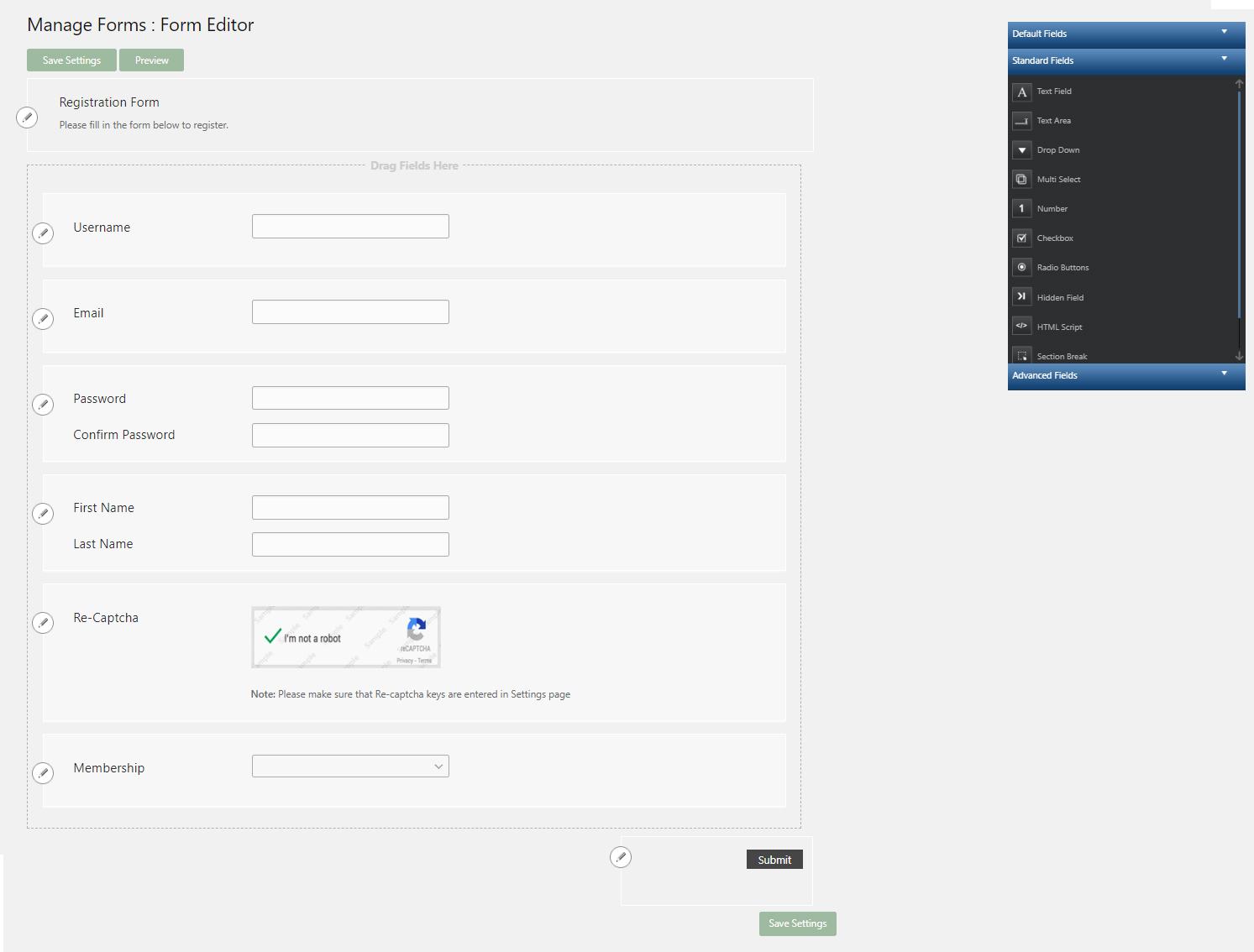
- Drag and Drop Form Builder
- Front-end User Profiles
- Front-end User Registration
- Front-end user Login
- PasswordLess Registration
- Advanced Fields
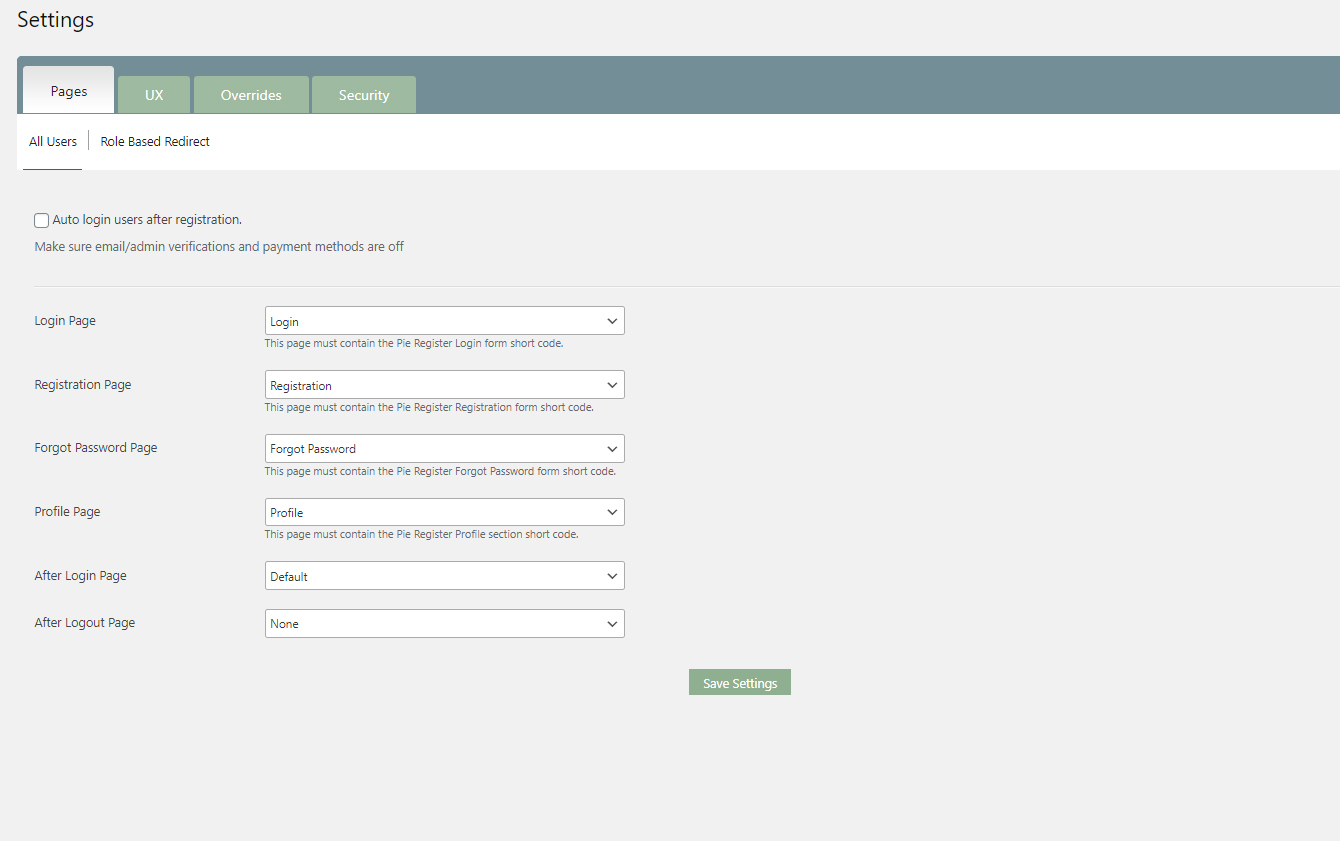
- Set Redirection after Sign-up and Login
- Verify and Moderate User Registration
- Spam Protection
- PayPal Standard – Payment Gateway
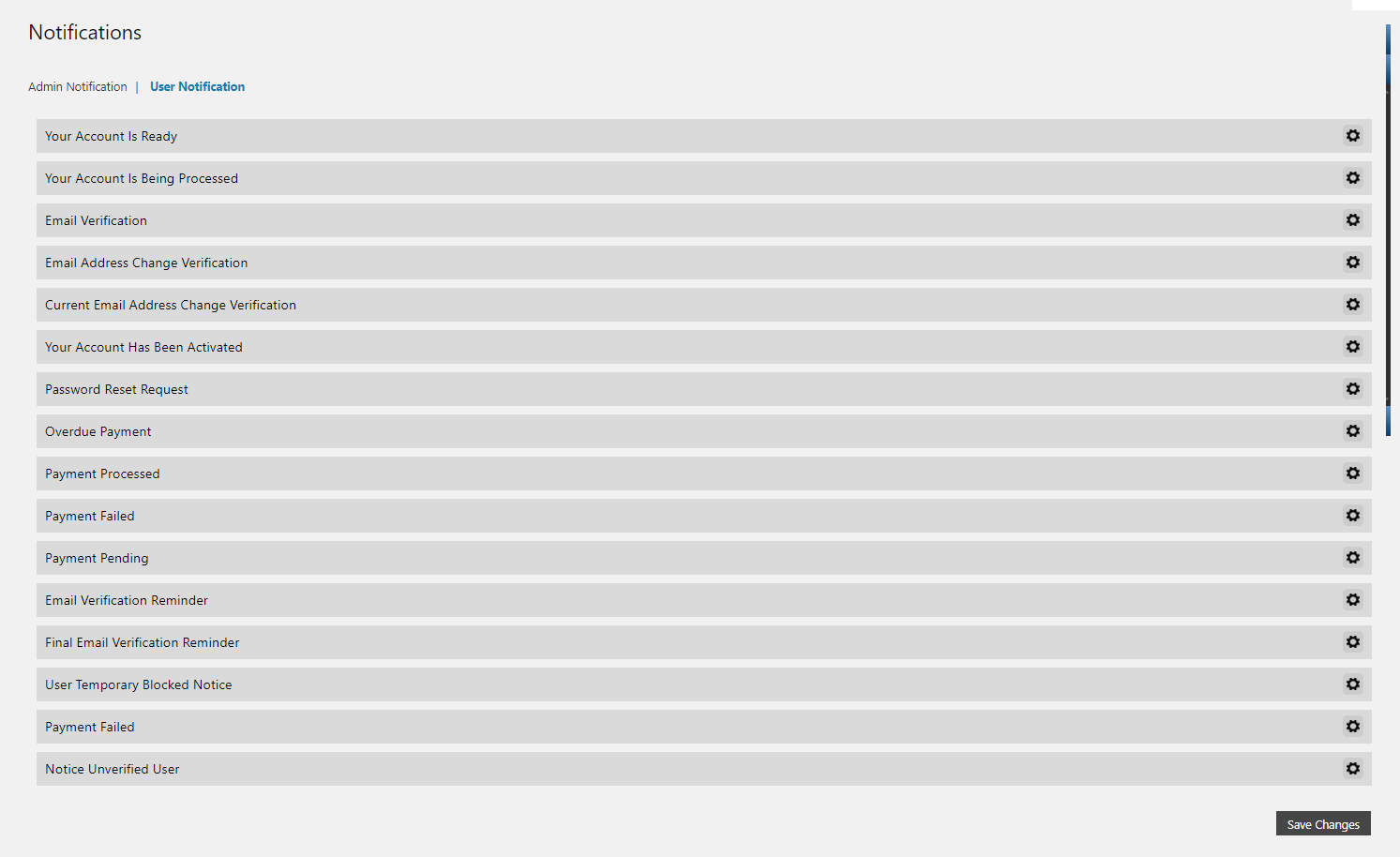
- User Emails Templates and Automation
- Invite-Based Registration
- Auto-generate Password
- Content Restriction
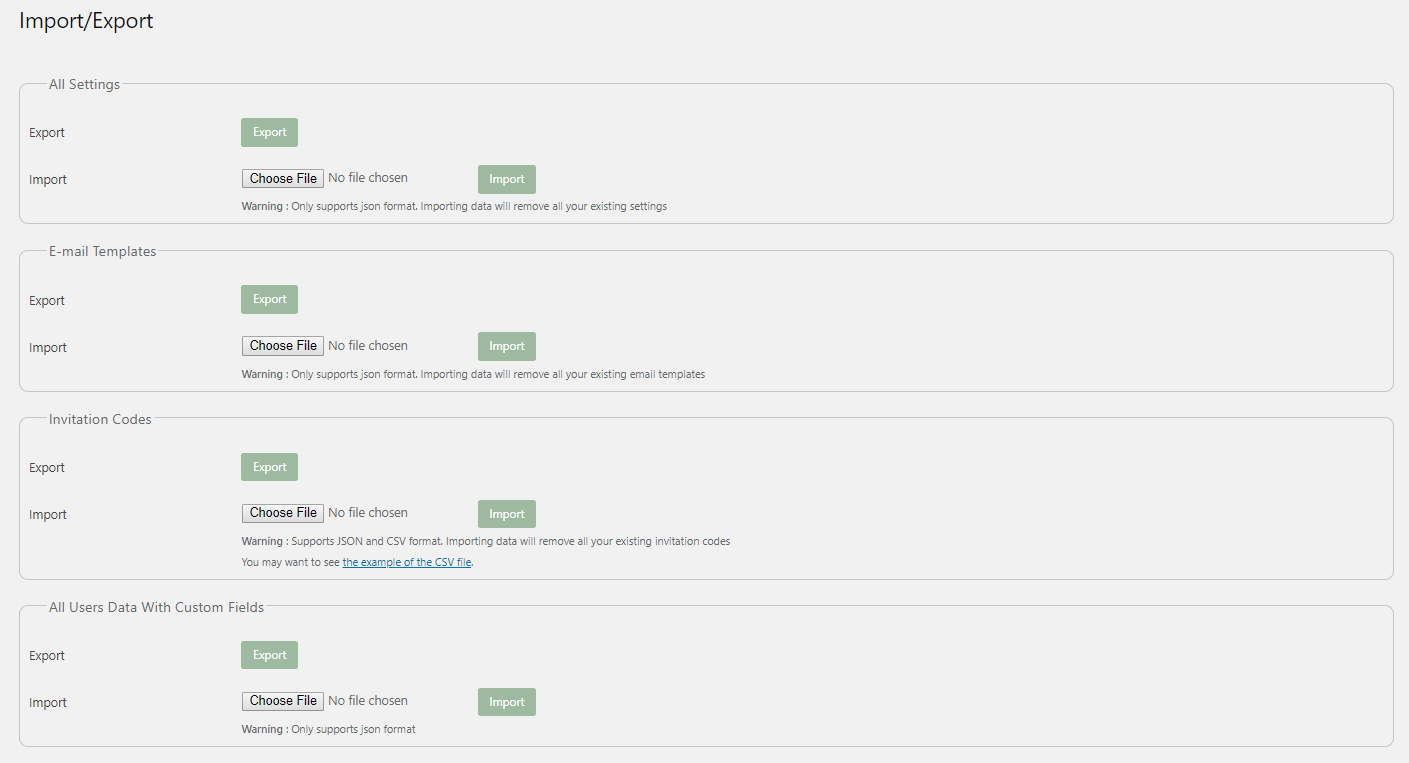
- Data Import/Export
- Custom User Roles
- Profile Picture
- ReCaptcha
- Admin Helper Application
- Shortcodes
- Community Support
- Developer friendly with dozens of actions and filters
KEY FEATURES AVAILABLE IN FREE AND PRO VERSIONS WITH
BASIC AND ADVANCED OPTIONS ==
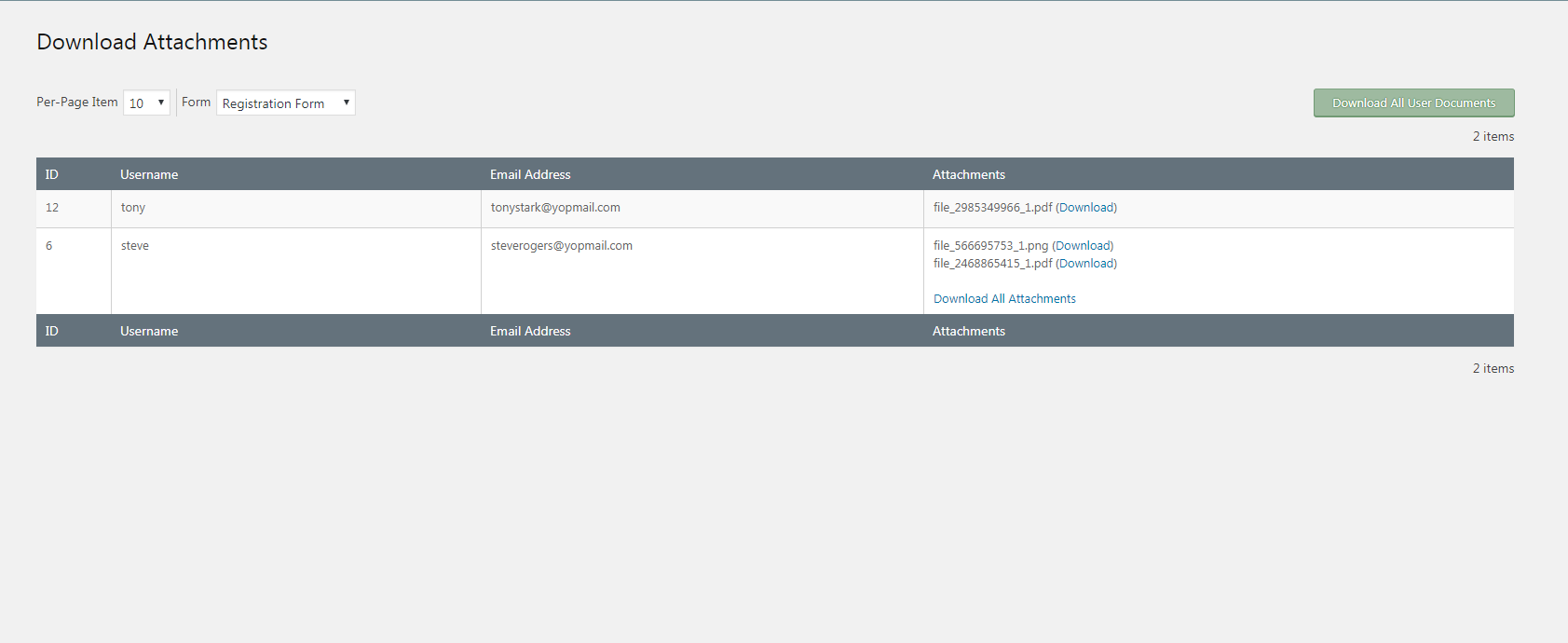
- File Upload
- Verify and Moderate User Registration
- Spam Protection
- Custom User Roles
- Invite-based Registration for Exclusive Websites
- User and Admin Email Notification Templates
- Data Import/Export
- Content Restriction
- Frontend User Login and forgot password forms
PREMIUM KEY FEATURES
- Unlimited Registration Forms
- Advanced Fields
- Role-based Redirection
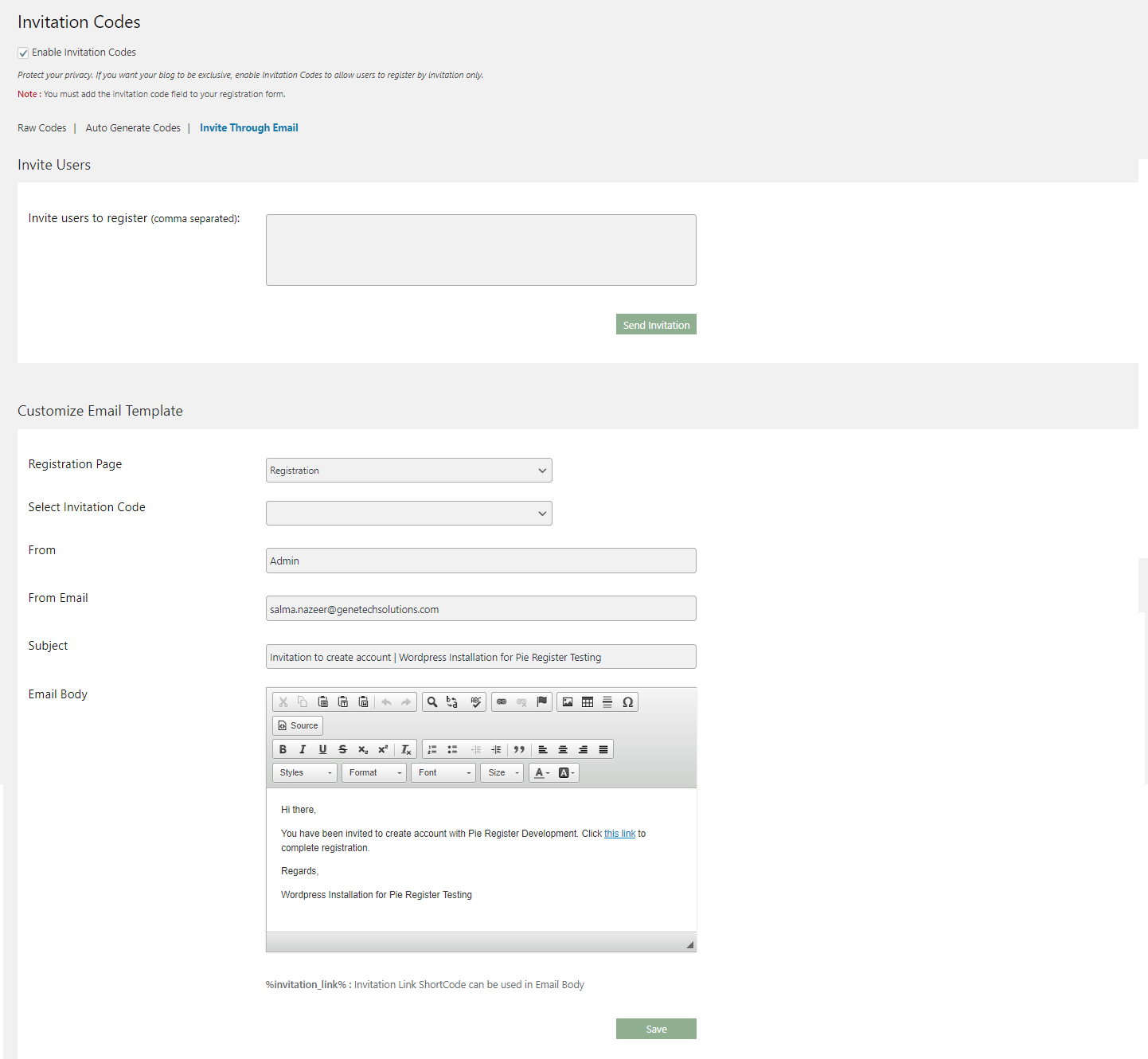
- Invite through emails
- Multiple Payment Gateways
- Customizable Login Security
- Timed-form submission (Define time in seconds to lock-out the bots)
- Auto-login after Registration
- Custom User Roles
- User and Admin Email Notification Templates and Automation
- Data Import/Export
- Global Content Restriction
- Restrict Widgets
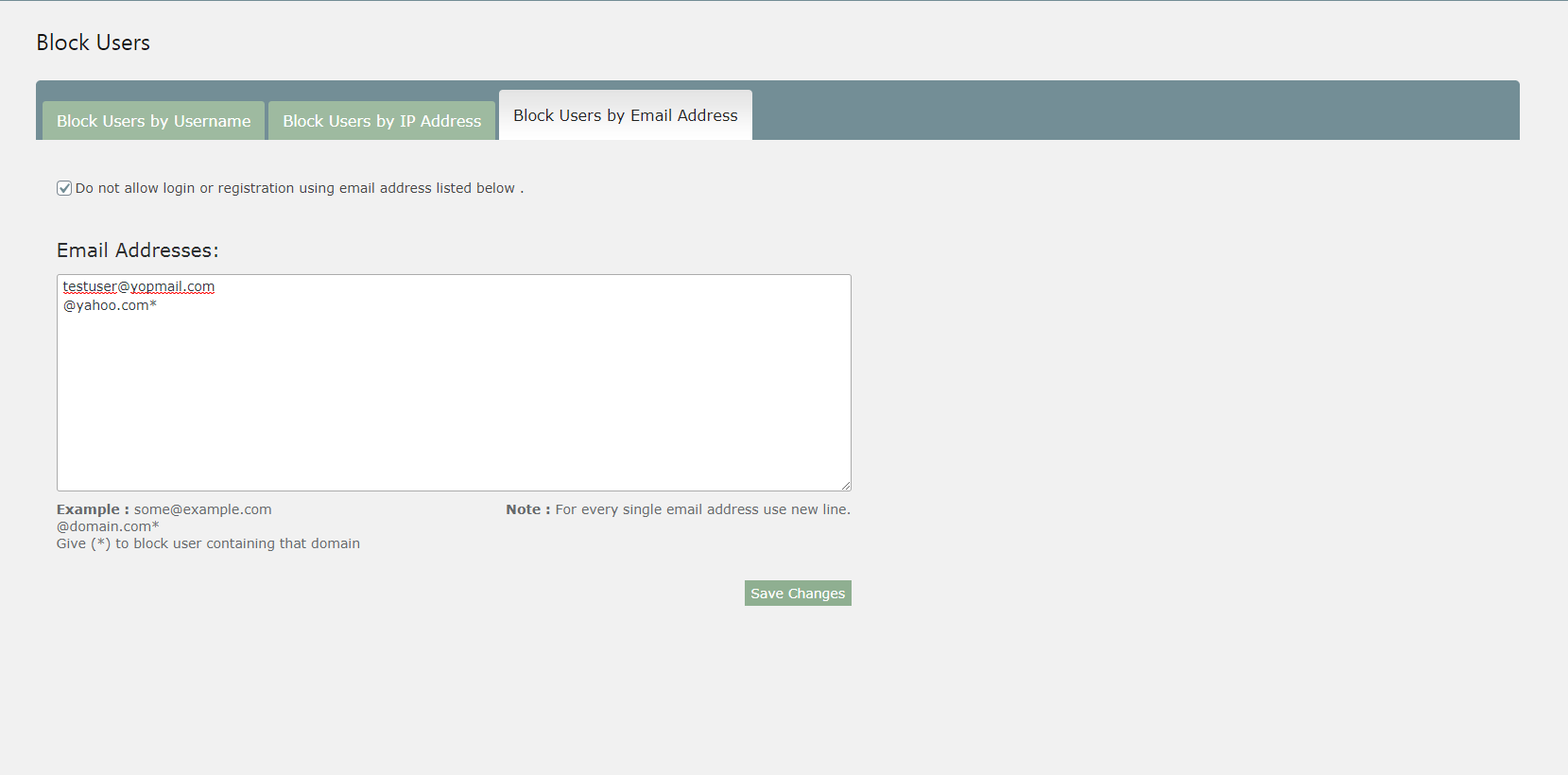
- Allow and Block users
- Limit Form Entries Per Device
- hCaptcha
- Honeypot
- Conditional Logic
- Ticket-based Support
Invitation-based Registration
- Generate invitation codes
- Auto Generate invitation codes
- Invite Users through Email
- Allow Users to Invite Other Users
- Track user Invitations
Make Your Forms More Advanced With Our Premium Add-ons
-
PayPal Subscriptions (Payment Gateway) Add-on
Allow users to make recurring payments and view subscription using the PayPal Subscriptions add-on. -
Stripe Recurring (Payment Gateway) Add-on
Allow users to make recurring payments and view active subscriptions using the Stripe recurring payment add-on. -
Stripe One-Time (Payment Gateway) Add-on
Process membership payments using Pie Register’s Stripe Add-on. -
Authroize.net (Payment Gateway ) Add-on
Use Authorize.net Add-on to collect membership payments on Pie Register. -
Social Login Add-on
Let users log in via their social handles, i-e, Facebook, Twitter, Google, LinkedIn, Yahoo, and WordPress accounts, to make the registration process quick and hassle-free. -
MailChimp Add-on
Export site users into MailChimp lists to send communication, sales, and marketing emails using the admin dashboard. -
Twilio - Two-step Authentication (SMS) Add-on
Want to have a super-secure site? No Problem. With Pie Register and TWILIO, you can verify registration via SMS/Text messages sent to their cell phones. The admin can get notified when new users register. -
Profile Search Add-on
Allow users to search/filter to display user data with the Profile Search tool. User information displayed in the filtered/search results can be limited based on the admin’s choice. -
Geo Location Add-on
It lets you collect user Geolocation data and provides information like country, city, zip code, latitude/longitude, and location map for registered users. -
Bulk Email Add-on
Send emails in bulk to all the registered users at once. Select the form name, and all the users registered through that form and send emails in one go! -
Field visibility Add-on
Allows you to show or hide specific fields on the front-end registration form or the user’s profile page. -
WooCommerce Add-on
Hide or display specific Pie Register fields on the WooCommerce checkout page. Also, you can add billing and shipping fields to your registration form. Replace the default WooCommerce login and registration forms with Pie Register login and registration forms, and send a free gift product upon registration. -
bbPress Add-on
Show the Pie Register fields on your bbPress User profile, and let your users edit the profile directly from bbPress.
INTEGRATIONS WITH THIRD-PARTY APPLICATIONS
Useful Resources
Community forum: https://wordpress.org/support/plugin/pie-register/
Blog: https://pieregister.com/blog/
Contact Us: https://pieregister.com/contact-us/
Get Started: https://pieregister.com/documentation/
Video Tutorials: https://www.youtube.com/channel/UCuLxfC2jcyAS5ns4ZT_7jcQ
Give Pie Register a try! And you will know how amazing it is!
Unlock more features? Upgrade to our PRO version
SHORTCODES
Here are some basic form shortcodes that you can embed:
- For login form use: [pie_register_login]
- For Registration form use: [pie_register_form]
- For forgot password form use: [pie_register_forgot_password]
- For profile page use: [pie_register_profile]
What’s Next?
Liked Pie Register? Do check out our other projects.
Once your registration system is in place, make sure the rest of your website stays in top shape with WP Site Checker.
Run comprehensive checks for performance, security, SEO, broken links, accessibility, SSL, page speed, and more — all from a single WordPress plugin.
Learn more: WP Site Checker
Pie Forms: Pie Forms is your custom Drag and Drop Form Builder with a user-friendly interface, built-in ready-to-use templates, and various Form Field options to Create Advanced Forms without a single line of code. Apart from simple registration, it lets you create all forms, including contact forms, surveys, job applications, appointments, etc.
PB addons for WPBakery: Build your website with premium quality Web and WooCommerce elements for WPBakery Page Builder.
Screenshots


Blocks
This plugin provides 1 block.
- Form Selector
FAQ
Who should use Pie Register?
Pie Register is perfect for membership websites for independent consultants, freelancers, and businesses alike. If you want to create a custom registration form for your WordPress site, you need to use Pie Register.
Do I need coding skills to use Pie Register?
Absolutely not. You can create and manage forms without any coding knowledge. Simply drag and drop the fields onto the form to quickly create full-featured registration forms. Our easy-to-use features help you create complex registration forms within minutes.
How can I be protected from spammers?
Pie Register has built-in support for reCaptcha that prevents bots or spammers from getting registered. There are numerous other anti-spamming features in Pie Register that help keep your registration process secure and spam-free.
I don’t want my blog/website to be overcrowded? What to do?
You can use the Invitation Codes feature to block unwanted registrations.
How can I prevent fake email addresses from registering?
You can enable the Email Validation feature from the Pie Register Settings page to send an email with a unique verification link every time a user gets registered.
With the use of Shortcodes ([pie_register_login], [pie_register_forgot_password] & [pie_register_form]) and built-in widgets, Pie Register allows you to place your forms anywhere you want on the website.
How do I set up the Profile pages?
Pie-Register provides you with a shortcode ([pie_register_profile]) to display the front-end profile page, allowing your users to edit their profiles. Enjoy the liberty to insert the shortcode on any page or even on custom post types.
How do I embed Forgot password login into the theme or in custom pages?
You can embed Forgot password login into your theme and custom pages by inserting a simple shortcode ([pie_register_forgot_password]).
How to accept payments via Pie Register?
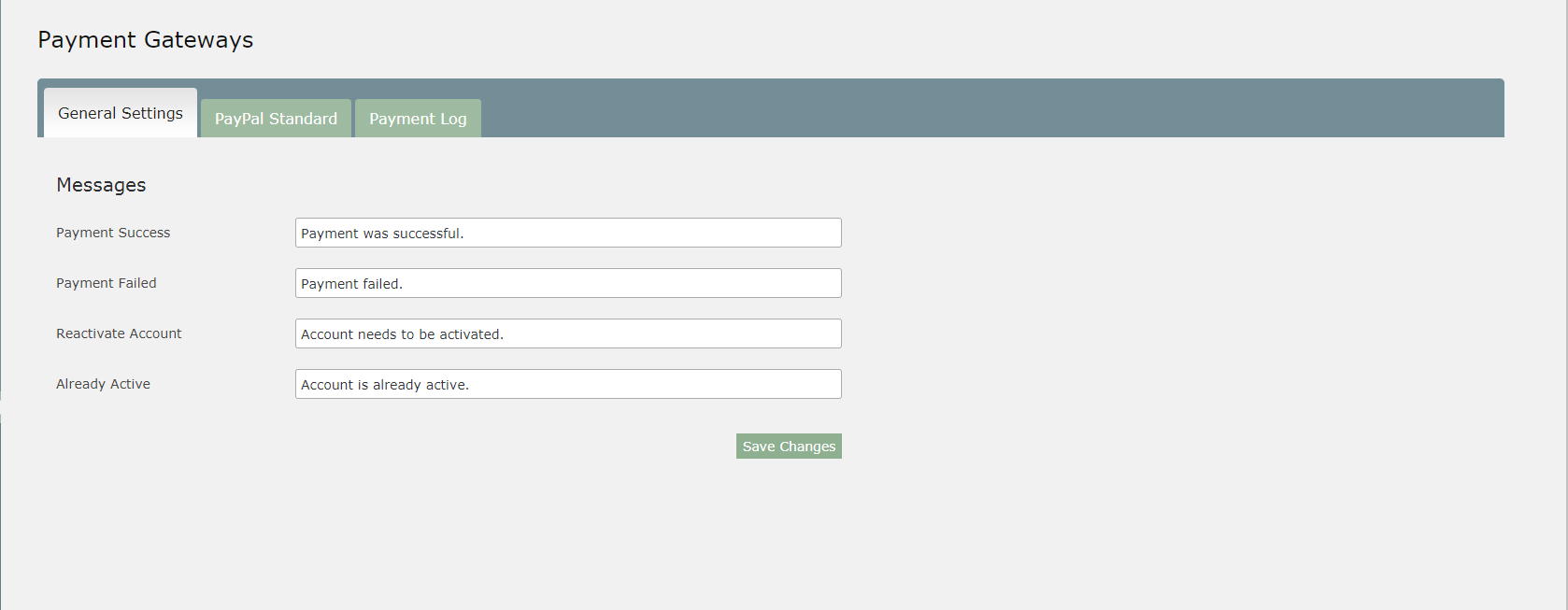
Pie Register allows you to accept payments via Paypal, Stripe (paid add-on), and Authorize.net (paid add-on) by simply adding a membership field to your forms and synchronizing the details of the payment gateway with it.
Can I send/receive email alerts using Pie Register?
Yes, the admin can receive email alerts on the registration of a new user or when a user updates his profile. They can also send email alerts to users when their account is ready or activated, for email verification, and more. Pie Register offers 15 default templates for user notifications.
How can I moderate registrations in Pie Register?
You can verify and moderate registrations by choosing a method for verification from the Security Tab under the Settings option. Pie Register gives you three options to select from: Admin Approval Verify Email Address Admin Approval AND Verify Email Address (Premium)
Can we customize the custom login form?
You can change/remove the label field and add a placeholder text to your custom login form in Pie Register. It adds in the functionality of verifying registrations and lets you block users too.
What if I do not want to use the custom login form?
Verifications and block user functionality won’t work if you do not want to use the custom login form by Pie Register.
How to add styles to your Pie Register forms?
To make your forms more interactive, you can simply add custom CSS in the stylesheet of your current theme.
How to make registrations PasswordLess with Pie Register?
Remove the password field from your forms and send an automated email on registrations by adding the auto-generated password in the email body using the replacement key.
Reviews


Contributors & Developers
“Pie Register – User Registration, Profiles & Content Restriction” is open source software. The following people have contributed to this plugin.
Contributors


“Pie Register – User Registration, Profiles & Content Restriction” has been translated into 1 locale. Thank you to the translators for their contributions.
Translate “Pie Register – User Registration, Profiles & Content Restriction” into your language.
Interested in development?
Browse the code, check out the SVN repository, or subscribe to the development log by RSS.
Changelog
3.8.4.12
Released Date 20th August 2026
- Plugin Repo: Updated “Tested up to” header to 7.1.
3.8.4.11
Released Date 4th June 2026
- Plugin Repo: Removed bundled CKEditor library already included in WordPress core.
- Plugin Repo: Updated “Tested up to” header to 7.0.
- Security: Added direct file access protection to admin class files.
- General: Fixed plugin updater to use uploads directory instead of plugin folder for temporary files.
3.8.4.10
Released Date 14th May 2026
- Security: Improved token generation in verification
3.8.4.9
Released Date 30th March 2026
- Security: Fixed unauthorized access vulnerability affecting registration form status (CVE-2026-3571).
- General: Fixed non-literal translation strings, added translator comments.
- Plugin Repo: Added plugin license information and aligned codebase with WordPress.org repository guidelines.
- Security: Strengthened output escaping and restricted direct file access across the plugin.
- Performance: Improved script and style loading with explicit version parameters.
3.8.4.8
Released Date 10th February 2026
- Fixed: broken image issue
3.8.4.7
Released Date 10th December 2025
- Updated: Updated the product link
3.8.4.6
Released Date 10th December 2025
- Updated: “About Us” page to include our latest product.
3.8.4.5
Released Date 15th October 2025
- Updated: Changed plugin title
3.8.4.4
Released Date 16th April 2025
- Updated: Compatible with WordPress 6.8.
3.8.4.3
Released Date 24th March 2025
- readme.txt updated.
3.8.4.2
Released Date 21th March 2025
- readme.txt updated.
3.8.4.1
Released Date 14th March 2025
- Fixed: Secured log files and removing payment logs.
3.8.4
Released Date 25th February 2025
- Fixed: Secured log files by restricting access and moving them to a safer location.
3.8.3.9
Released Date 22nd Novemeber 2024
- Fixed: Addressed issues related to escaping, text domain consistency, and placeholders in translatable strings.
- Updated: Compatible with WordPress 6.7.
3.8.3.8
Released Date 6th Novemeber 2024
- Fixed: Minor Issues.
3.8.3.7
Released Date 12th September 2024
- Fixed: Removed deprecated Functions.
- Fixed: Capability issues.
3.8.3.6
Released Date 23th July 2024
- Fixed: Security vulnerability issues.
- Added: Capability checks.
3.8.3.5
Released Date 11th July 2024
- Fixed: Security vulnerability issues.
- Fixed: Restriction conflict issue.
- Fixed: Decimal value payment.
3.8.3.4
Released Date 28th May 2024
- Fixed: Removed deprecated Dynamic Properties issues.
- Fixed: Removed deprecated Functions.
3.8.3.3
Released Date 18th March 2024
- Fixed: File type and extension validations to the file upload field.
3.8.3.2
Released Date 8th March 2024
- Fixed: File type and extension validations to the file upload field.
3.8.3.1
Released Date 18th December 2023
- Fixed: PHP warnings.
- Fixed: Profile search results grid in the profile search addon.
3.8.3
Released Date 16th August 2023
- Fixed: UI fixes.
3.8.2.8
Released Date 26th July 2023
- Updated: UI changes.
- Fixed: CSS issues.
3.8.2.7
Released Date 21st June 2023
- Fixed: Errors in the console have been resolved.
- Fixed: PHP errors have been fixed.
3.8.2.6
Released Date 6th April 2023
- Updated: If invitation codes are imported, previous codes should not be deleted. Instead, a new one should be added. (Premium)
- Fixed: WooCommerce assign gift product functionality. (Premium)
- Fixed: Sizes for Previous and next button images.
- Fixed: PHP errors.
- Fixed: UI Issues.
3.8.2.5
Released Date 13th March 2023
- Updated: If a user does not have any attachments, they will not be listed in attachments section. (Premium)
- Updated: Removed the reply restriction section for BbPress Replies.
- Fixed: Replacement keys for email notifications.
- Fixed: Redirect to last visited page after login not working with BbPress.
- Fixed: The maximum number of file uploads should not accept 0. (Premium)
- Fixed: PHP errors.
3.8.2.4
Released Date 1st March 2023
- Fixed: The user should not be able to use a blocked email address when updating their profile. (Premium)
- Fixed: Multiselect/Dropdown for country list.
- Fixed: The validation for the website field is not working.
- Fixed: Users cannot be imported via Import/Export section.
- Fixed: The redirect to the PayPal one-time payment URL does not work.
- Fixed: Warning errors are generated if the last name field on the form is hidden.
- Added: Filter hook ‘piereg_filter_profile_front_table’ to show additional data on profile front page.
- Added: Filter hook ‘piereg_check_temp_saved_file_option’. (Premium)
- Added: Action hook ‘piereg_after_temp_saving_file’. (Premium)
3.8.2.3
Released Date 2nd February 2023
- Added: Option to redirect user to the last page they visited.
- Added: Admin can now include a reason for rejecting user verification in the email template.
- Added: Action hook ‘piereg_after_update_profile_event’ that triggers after the user profile is updated.
- Fixed: License keys activation for Stripe Recurring Payments add-on.
- Fixed: License keys activation for PayPal Subscriptions add-on.
- Fixed: Security vulnerability issues.
3.8.2.2
Released Date 25th January 2023
- Fixed: The form is not submitted if the minimum password strength is not set to weak.
- Fixed: UI issues.
3.8.2.1
Released Date 4th January 2023
- Fixed: UI issues.
- Fixed: Characterset encoding in email templates.
3.8.2
Released Date 20th December 2022
- Updated: Fonts and styling have been removed from front-end forms.
- Updated: Major UI changes.
- Added: guide links on each feature.
- Fixed: Pie Register Membership field not working on the WooCoomerce My Account Page. (Premium)
- Fixed: Several PHP warnings.
3.8.1.4
Released Date 7th December 2022
- Updated: Only administrators can delete invitation codes. (Premium)
- Updated: font-awesome to 6.2.1 version.
- Updated: jQuery.ui to 1.13.2 version.
- Updated: CKeditor to 4.20.1 version.
- Updated: Dropzone to 5.9.3 version. (Premium)
- Fixed: Logout URL in widgets.
- Fixed: Incorrect labeling on the profile search results grid.
- Fixed: Pie Register section on the WooCommerce Checkout form.
3.8.1.3
Released Date 22nd November 2022
- Fixed: PHP error when saving settings for invite users. (Premium)
- Fixed: Security vulnerability issues.
- Added: Filter hook ‘piereg_set_redirect_uri’ to modify the redirect URL after login.
3.8.1.2
Released Date 2nd Novemeber 2022
- Added: Use the woocommerce addon to provide users with a free gift product upon registration.
- Updated: Any field (not just email/username) can now be set as the primary searchable field in the profile search addon.
- Fixed: CSS issues in the profile search addon.
- Fixed: When the plugin is translated, the default country does not work.
3.8.1.1
Released Date 11th October 2022
- Added: Settings to replace default WooCommerce login and registration forms with pieregister’s login and registration forms. (Premium)
- Updated: The tabs for manage forms have been renamed to Standard, Advanced, and Legacy.
- Fixed: Conditional logics for time field. (Premium)
3.8.1
Released Date 21st September 2022
- Added: Display user data from pieregister fields on the woocommerce checkout page. (Premium)
- Fixed: Errors and warnings in Import/Export section. (Premium)
- Fixed: Conditional logic conflicting with required settings. (Premium)
- Fixed: Conditional logic not working on upload field. (Premium)
- Fixed: Several PHP warnings.
3.8.0.2
Released Date 1st September 2022
- Added: An option to remove invitation code capability from certain users. (Premium)
- Fixed: Search functionality on the invitation code grid.
- Fixed: Invitation codes are not visible in the raw grid.
- Fixed: Several bugs in the invitation codes feature.
- Fixed: Section break and HTML fields with conditional logic settings. (Premium)
- Fixed: HTML field not visible on the edit profile page.
- Fixed: BBPress add-on displaying incorrect user information in the additional information section.
3.8.0.1
Released Date 20th July 2022
- Added: Allow website users to send email invitations to other users. (Premium)
- Added: Restriction on the number of email invites a user can send. (Premium)
- Added: Allow specific users to invite other users. (Premium)
- Added: To send invitation codes via email, a replacement key for “Invite Sent By” is added to the custom email template. (Premium)
- Updated: If the logged-in user is not an administrator, the option to disable or delete the invitation code has been removed from the invitation codes grid. (Premium)
- Updated: ‘Sent Through Email’ column in user tracker grid. (Premium)
- Fixed: CSS for terms and conditions field.
3.8
Released Date 30th June 2022
- Added: Option to allow users to invite other users. (Premium)
- Fixed: Bulk export for invitation codes. (Premium)
- Fixed: More than ten codes cannot be autogenerated at once. (Premium)
- Fixed: Popup for ‘sent through email’. (Premium)
- Fixed: PHP errors due to Honeypot Field.
- Fixed: Role names should be displayed rather than role keys.
- Fixed: Conflict issue with Flatsome Theme.