

Description
Jump to Checkout allows you to create secure, shareable links that automatically add products to the cart and redirect customers directly to checkout. Perfect for marketing campaigns, email promotions, social media ads, and affiliate links.
🚀 Key Features
- ✅ Unlimited Links – Create as many checkout links as you need
- ✅ Multiple Products – Add multiple products and variations to a single link
- ✅ Variable Products – Full support for variable products and their variations
- ✅ Secure Checkout Links – Cryptographically signed URLs prevent tampering
- ✅ Link Expiration – Set custom expiration dates for time-sensitive campaigns
- ✅ Automatic Coupons – Apply discount codes automatically when links are clicked
- ✅ Advanced Analytics – Detailed dashboard with interactive charts and performance insights
- ✅ Export to CSV – Export all statistics for external analysis
- ✅ Basic Statistics – Track visits and conversions for each link
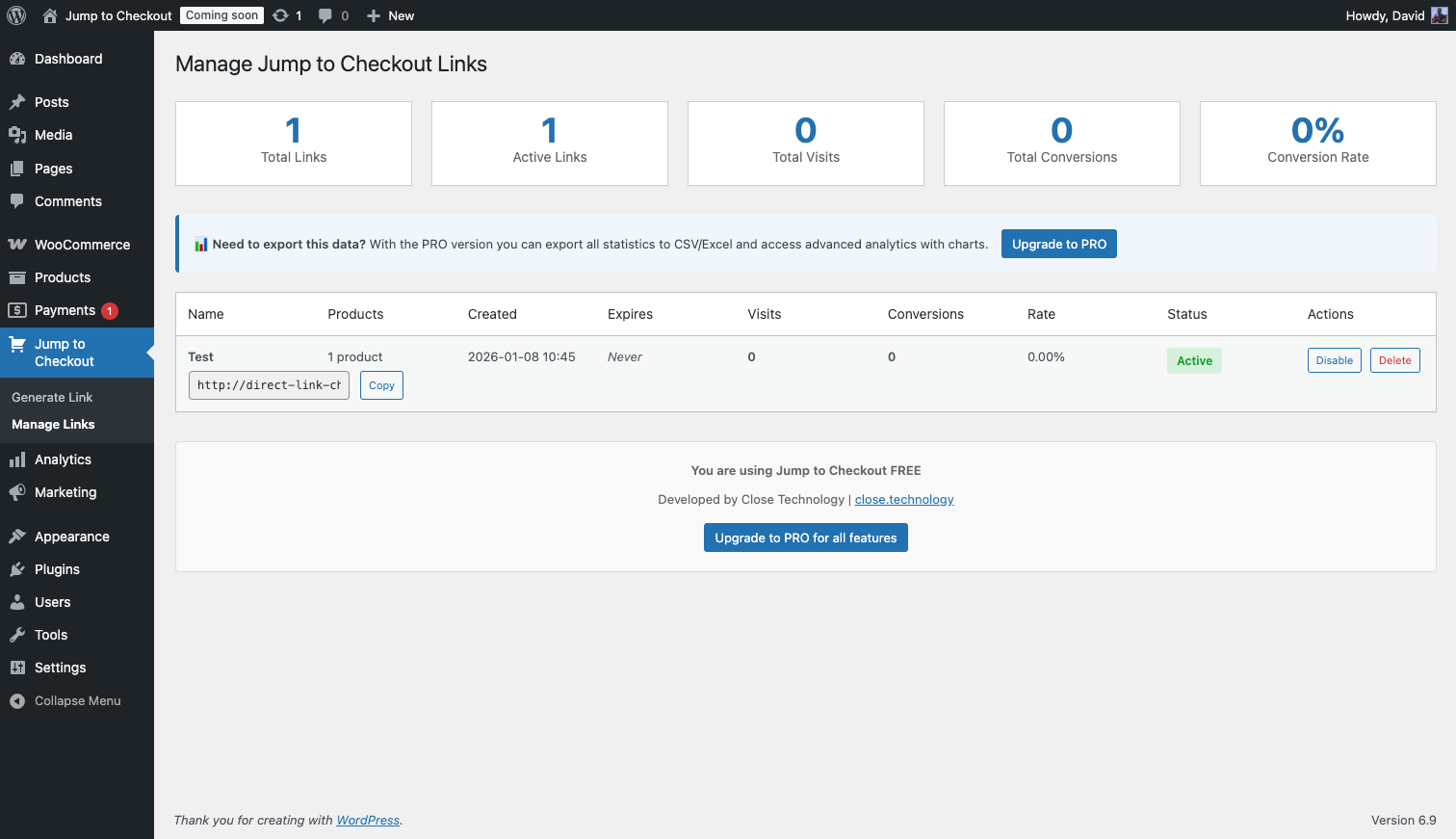
- ✅ Easy Link Management – Simple interface to create, copy, and manage links
- ✅ Link Toggle – Enable/disable links without deleting them
- ✅ WooCommerce Integration – Seamless integration with your store
🎯 Perfect For
- Marketing Campaigns – Create targeted links for email, SMS, and social media
- Affiliate Marketing – Generate trackable links for partners
- Influencer Promotions – Quick checkout links for Instagram, TikTok, YouTube
- Flash Sales – Time-sensitive offers with direct purchase links
- Customer Support – Help customers complete purchases quickly
- Re-engagement – Send abandoned cart recovery links
- B2B Sales – Custom quotes with pre-filled carts
🔒 Security
All checkout links are secured with HMAC-SHA256 cryptographic signatures. Each link contains encrypted product information that cannot be modified without invalidating the link.
🌐 Link Format
Links are clean and SEO-friendly:
https://yoursite.com/jump-to-checkout/{secure-token}
📊 Track Performance
Monitor the effectiveness of your links:
- Total Visits – See how many people clicked your links
- Conversions – Track completed purchases
- Conversion Rate – Measure link performance
- Per-Link Statistics – Analyze each link individually
- Advanced Charts – Visualize trends over time
🎨 Use Cases
Example 1: Email Campaign
Create a direct checkout link for your featured product and include it in your newsletter. Recipients click once and go straight to checkout.
Example 2: Social Media
Share a link on Instagram stories or Facebook ads that adds a bundle of products and redirects to checkout instantly.
Example 3: Flash Sale
Set a link with an automatic coupon and an expiration date. The discount applies automatically and the link stops working when the sale ends.
Example 4: Influencer Partnership
Provide influencers with unique checkout links to track conversions from their audience.
🛠️ Requirements
- WordPress 5.0 or higher
- WooCommerce 5.0 or higher
- PHP 7.4 or higher
👨💻 Developer Friendly
Clean, well-documented code following WordPress and WooCommerce coding standards. Includes hooks and filters for customization.
Privacy Policy
Jump to Checkout does not collect or store any personal customer data. The plugin only tracks:
- Link visit counts (anonymous)
- Conversion counts (order completion)
- Link creation dates
- Link names (set by store admin)
No IP addresses, user agents, or personal information is stored. All data is stored locally in your WordPress database and is never transmitted to external services.
Third-Party Services
This plugin does not connect to any third-party services or APIs. All functionality is self-contained within your WordPress installation.
Credits
- Available at close.technology
Support
- Support: WordPress.org Forums
- Documentation: Plugin Documentation
- Website: close.technology
Screenshots

Installation
Automatic Installation
- Log in to your WordPress admin panel
- Go to Plugins > Add New
- Search for “Jump to Checkout”
- Click “Install Now” and then “Activate”
Manual Installation
- Download the plugin ZIP file
- Log in to your WordPress admin panel
- Go to Plugins > Add New > Upload Plugin
- Choose the ZIP file and click “Install Now”
- Activate the plugin
After Activation
- Go to Jump to Checkout in your WordPress admin menu
- Click “Generate Link”
- Enter a name for your link (e.g., “Summer Sale 2025”)
- Select a product and set the quantity
- Optionally set an expiry time or automatic coupon
- Click “Generate Link”
- Copy the link and share it with your customers!
FAQ
-
How many links can I create?
-
Unlimited. You can create as many checkout links as you need and add multiple products to each link.
-
Can I add multiple products to one link?
-
Yes! You can add as many simple products, variable products, and variations as you need to any checkout link.
-
Do the links expire?
-
Links never expire by default. You can set a custom expiration time (in hours) when creating each link.
-
Can I apply a coupon automatically?
-
Yes. When generating a link you can select any active WooCommerce coupon and it will be applied to the cart automatically when the link is clicked.
-
Can I track conversions from my links?
-
Yes. Each link tracks visits and conversions automatically. You can see these statistics in the “Manage Links” page and in the “Analytics” dashboard with interactive charts.
-
Can I export the statistics?
-
Yes. Use the “Export to CSV” button on the Manage Links page to download all statistics.
-
Are the links secure?
-
Absolutely. All links use cryptographic signatures to prevent tampering. Product information is encrypted and validated on each use.
-
What happens if a product is out of stock?
-
The plugin checks stock availability when the link is clicked. If the product is out of stock, the customer will see a friendly error message.
-
Can I use this with variable products?
-
Yes. Variable products are fully supported. You can select specific variations when creating a link.
-
Does this work with coupons?
-
Links work alongside WooCommerce coupons. You can configure a coupon to be applied automatically when a link is clicked.
-
Can I customize the checkout process?
-
The links redirect to your standard WooCommerce checkout, so all your existing checkout customizations will apply.
-
Is this compatible with my theme?
-
Yes, the plugin works with any WordPress theme and uses standard WooCommerce functions.
-
What about GDPR compliance?
-
The plugin only stores basic link statistics (visits and conversions). No personal customer data is collected or stored.
Reviews
There are no reviews for this plugin.
Contributors & Developers
“Jump to Checkout” is open source software. The following people have contributed to this plugin.
Contributors


“Jump to Checkout” has been translated into 2 locales. Thank you to the translators for their contributions.
Translate “Jump to Checkout” into your language.
Interested in development?
Browse the code, check out the SVN repository, or subscribe to the development log by RSS.
Changelog
1.1.0
- Added: Variable products and variations support
- Added: Link expiration (set expiry in hours per link)
- Added: Automatic coupon application on link click
- Added: Advanced analytics dashboard with interactive charts
- Added: Export statistics to CSV
- Improved: Shortened token length to 10 characters for cleaner, more shareable URLs
- Fixed: Variable products (parent) are now always disabled to prevent direct cart addition
1.0.1
- Fixed: some issues in admin area.
- Improved: added internal test to make it more robust.
1.0.0
- Initial release
- Create secure direct checkout links
- Support for unlimited links
- Basic statistics tracking (visits and conversions)
- Link management interface
- Enable/disable links without deletion
- Cryptographic link security
- WooCommerce integration
- Multilingual support (English, Spanish)