Description
Ultimate Watermark is a powerful, photographer-grade image watermark plugin for WordPress. Add a copyright text or logo to every image you upload, batch-watermark thousands of existing photos, protect WooCommerce product galleries, and restore the originals anytime — all without leaving wp-admin.
Built for photographers, content creators, bloggers, and e-commerce stores who need real protection without bloated dependencies, watermarking server services, or destructive edits.
Quick Links
Why choose Ultimate Watermark
Unlike basic watermark plugins, Ultimate Watermark gives you:
- Automatic backup & restore — originals are saved before watermarking; one click and every image is back the way you uploaded it.
- Native WooCommerce support — bulk-watermark all product images, including gallery and variation images.
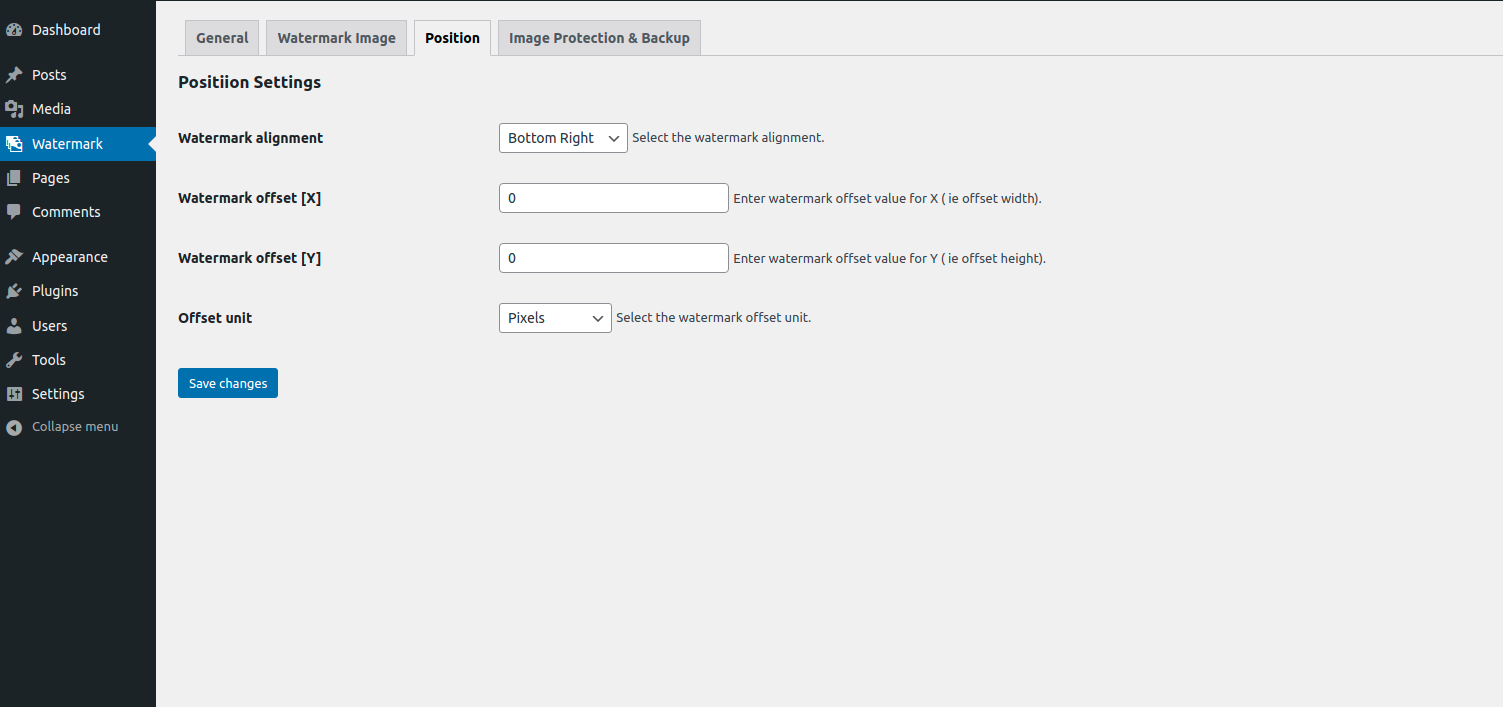
- Professional positioning — 9 anchor points, pixel/percentage offsets, rotation, opacity, scale, custom dimensions.
- Photographer-friendly — EXIF and IPTC metadata are preserved; image quality settings are honoured per format.
- Conditional rules engine — apply different watermarks based on image size, post type, file size, dimensions, orientation, user role, post category, product category and more.
- Non-destructive on-the-fly mode (Pro) — watermark how visitors see the image without ever touching the file on disk.
- REST API & developer-ready — proper hooks, filters and PSR-4 architecture so you can extend or integrate with any custom workflow.
Core features (Free version)
- Text watermark — your copyright string, brand name, URL, or any custom text
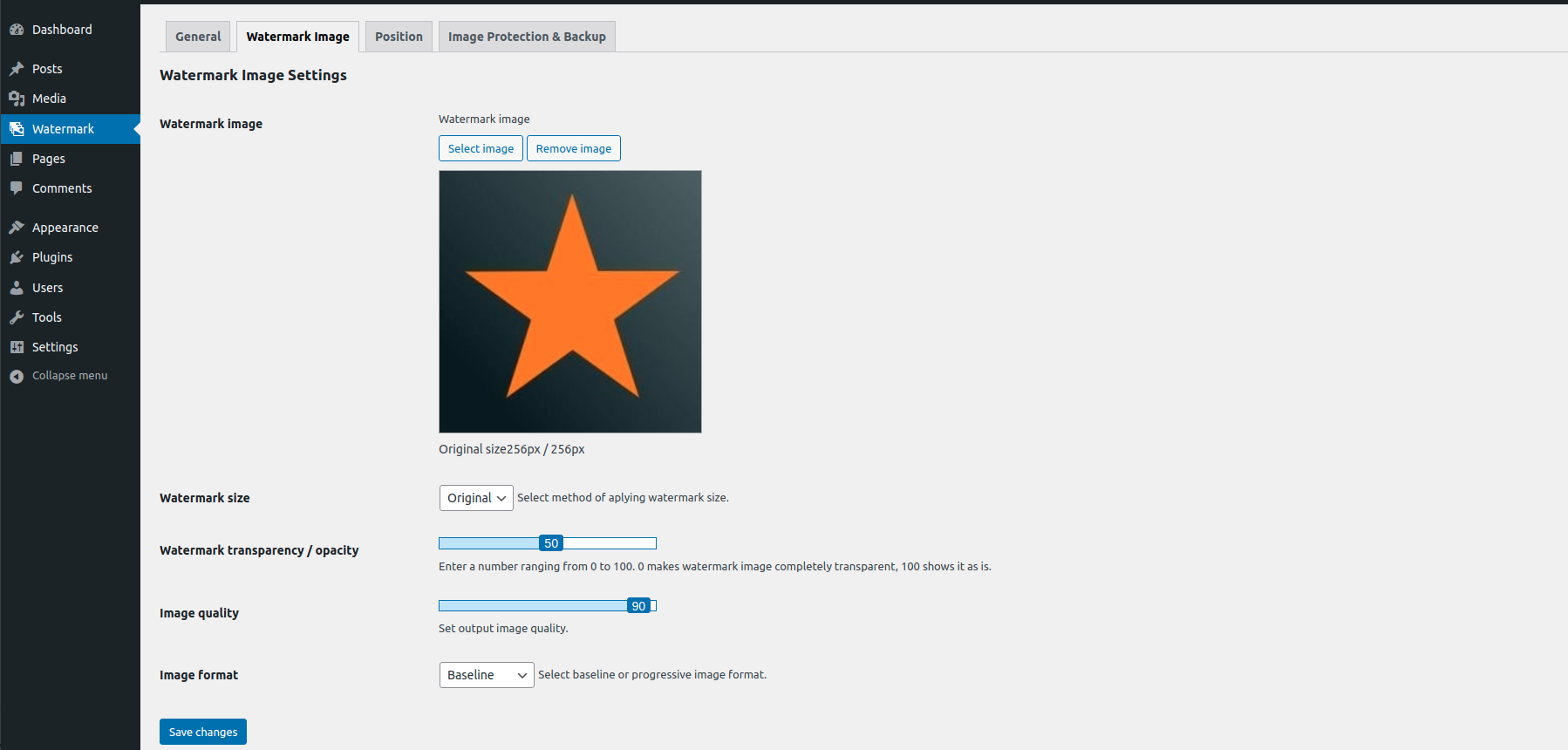
- Image watermark — upload a PNG/JPG/SVG logo, signature, or stamp
- Per-template font, weight, style, decoration, color, and opacity
- Rotation, scale, and pixel-level positioning
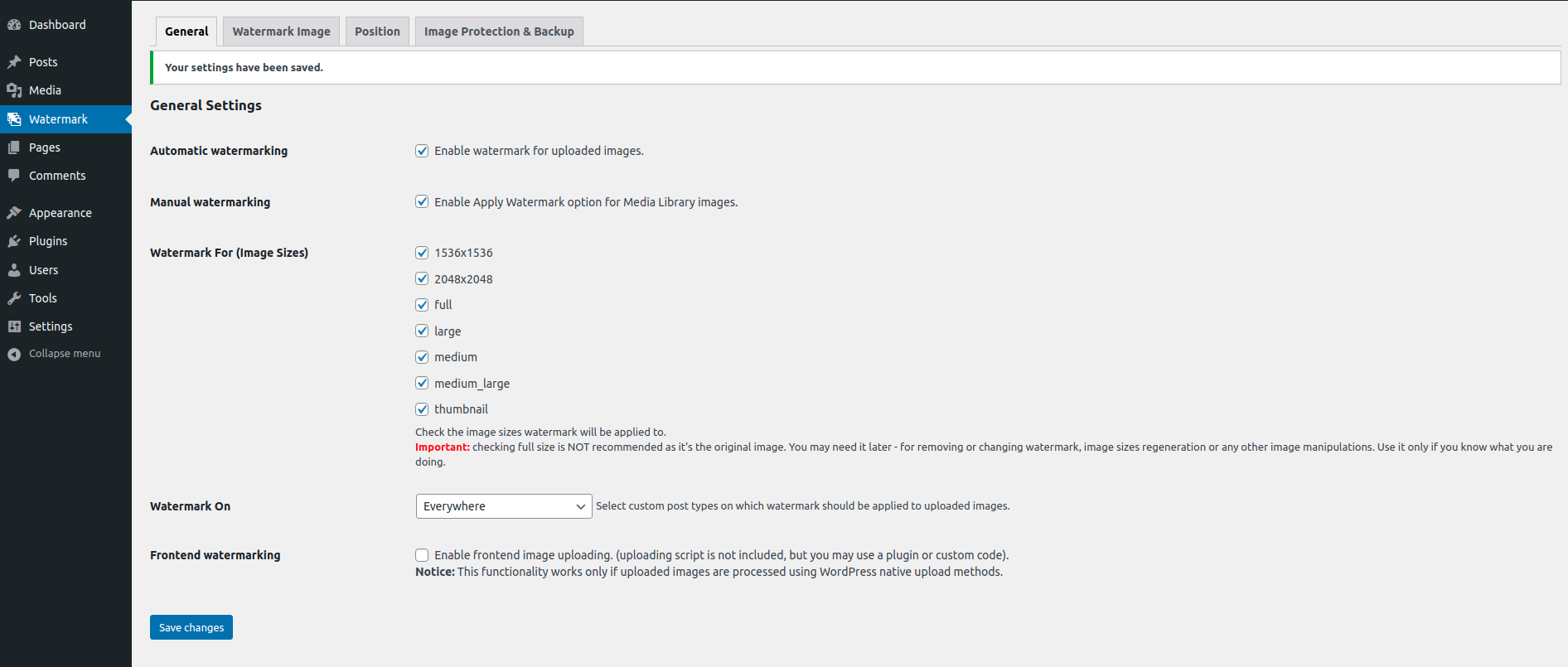
- Automatic — watermark every image as it’s uploaded to the media library
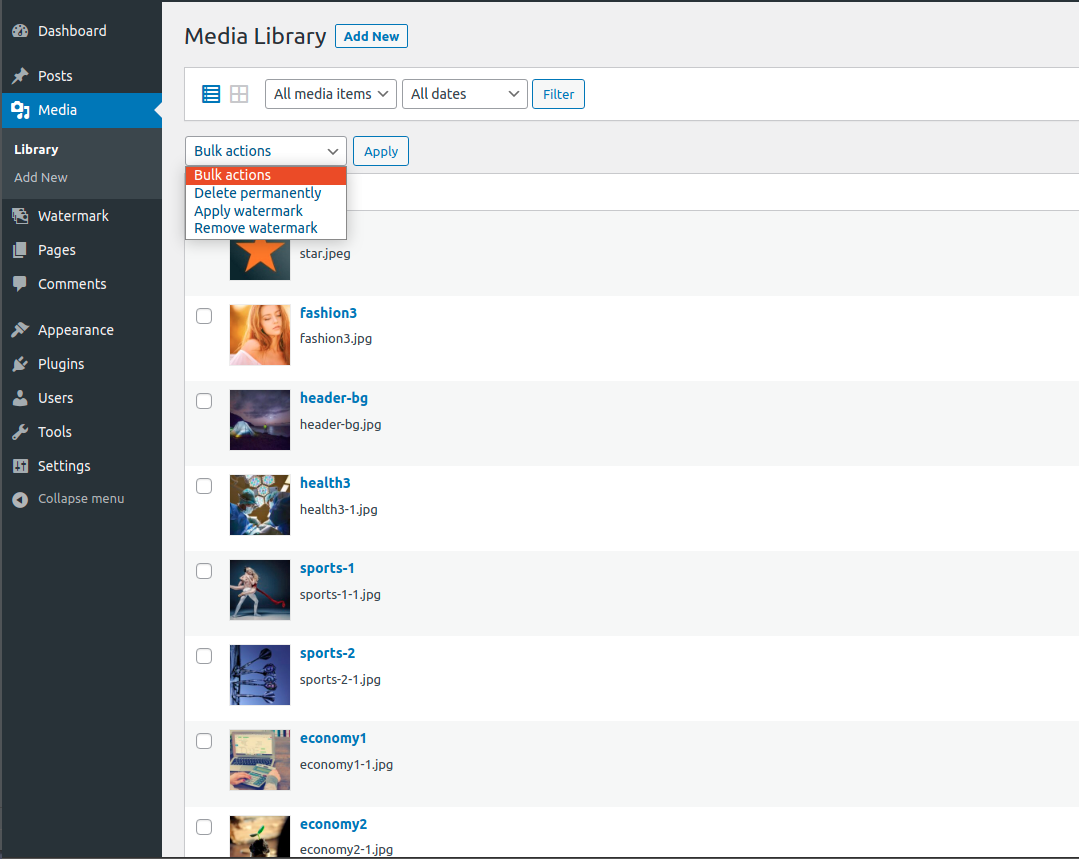
- Bulk — watermark hundreds of existing images from the Media Library at once
- Manual — watermark a specific image from its attachment screen
- Frontend uploads — watermark images submitted from frontend forms
Choose exactly which images get a watermark with rules built in plain English. Combine conditions with AND/OR logic:
- Image size (thumbnail, medium, large, full, plus your theme’s custom sizes)
- Post type (posts, pages, products, custom post types)
- File type (jpeg, png, gif, webp)
- File size, image width, image height
- Orientation (landscape / portrait / square)
- Aspect ratio
- User role
- Post category
- Product category & product tag (when WooCommerce is active)
Every original image is preserved before the watermark is burned in:
- Single-click restore from the Backups admin page
- Bulk restore — wipe watermarks from a whole upload batch
- Storage controls — choose to keep all sizes or just the original
- Path-traversal protected and stored under your uploads folder
- Imagick (preferred — sharper text rendering and better color fidelity)
- GD fallback when Imagick is not installed
- Live preview while you edit a watermark template
- WebP, JPEG (baseline & progressive), PNG, and GIF output
- PSR-4 namespaced source, Composer-loaded
- Full i18n support (
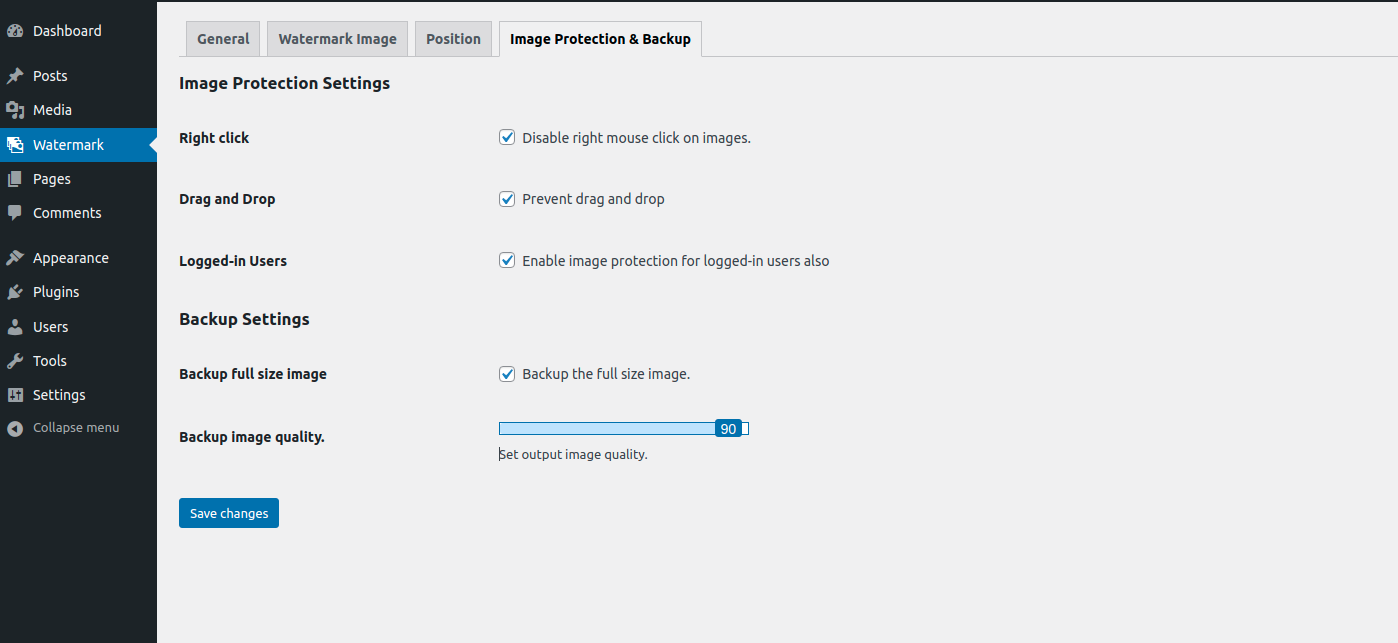
ultimate-watermarktext domain) - Right-click protection and drag-and-drop disable for the frontend
- Logged-in user role bypass
- Sensible defaults — works the moment it’s activated
Use cases
- Photographers — protect portfolio shots before publishing, watermark a whole season at once, keep EXIF data intact for clients.
- WordPress bloggers — brand every featured image automatically with your site URL or logo so reposts always link back.
- WooCommerce stores — watermark every product photo with a logo or “© Yourshop” string; bulk-apply on launch and forget about it.
- Stock & marketplace sellers — sample-watermark previews while keeping clean originals for paid downloads.
- News, magazine and content sites — apply photographer credits to images on upload using dynamic placeholders (Pro).
Pro features
Upgrade to Ultimate Watermark Pro when you outgrow the free version. The Pro extension stays in lockstep with the free plugin and adds:
- Unlimited watermark templates — free version is limited to 1
- Dynamic content placeholders —
{site_url},{date_long},{user_display_name},{post_title},{custom_field:key}and more - EXIF placeholders —
{camera_model},{aperture},{shutter_speed},{iso},{focal_length}for camera-info credits - Google Fonts library — 30+ curated typefaces (Roboto, Open Sans, Montserrat, Pacifico, Bebas Neue, Playfair Display, …) auto-cached on disk
- Searchable font picker — every option rendered in its own typeface
- WooCommerce per-product watermarks — override the global watermark on a single product
- WooCommerce per-category watermarks — assign a default watermark per product category, with a Product Category Global cascade
- WooCommerce variation image support — watermark every variation, not just the parent
- On-the-fly display watermarking — show watermarks to visitors without modifying source files; admins/editors bypass automatically
- Batch operations — apply, replace, or remove watermarks from large image sets via a tracked queue
- Advanced conditional rules — date ranges, custom fields, and 14+ operators (
contains,in,between,greater_equal, etc.) - Priority support — direct help from the team that built it
- Automatic updates — receive Pro releases through the WordPress updates UI
Compare features and view pricing
Trusted by
Photographers, e-commerce shops, news sites, and marketplace owners worldwide use Ultimate Watermark to protect their images on WordPress. Every release ships with active support — opening an issue gets a real response.
Privacy
Ultimate Watermark is fully local. No images, no metadata, and no usage data are ever sent to MantraBrain or to any third party. The Pro updater contacts the licensing server only to validate your key and check for updates.
Screenshots

Dashboard — at-a-glance stats: total images, protected images, protection rate, active templates. 
Watermark templates list — manage all your watermarks with status, position, opacity and usage at a glance. 
Add / Edit Watermark — full-form editor with live preview as you change settings. 
Live preview sidebar — see exactly how the watermark will sit on a real photo, refreshed instantly. 
Conditional rules builder — combine image size, post type, category, file size and more with AND / OR logic. 
Backups — every original is preserved; restore one or many in a click. 
WooCommerce per-product override (Pro) — set a different watermark on a single product.
Installation
Automatic
- In your WordPress admin, go to Plugins Add New.
- Search for Ultimate Watermark.
- Click Install Now, then Activate.
- Go to Watermark Add Watermark and create your first watermark template.
- Upload a new image — it’ll be watermarked automatically.
Manual
- Download the plugin .zip from WordPress.org.
- In wp-admin go to Plugins Add New Upload Plugin.
- Choose the file, click Install Now, then Activate.
- Continue from step 4 above.
Activating Pro
- Install the free plugin first (Pro requires it).
- Upload
ultimate-watermark-pro.zipand activate. - Go to Watermark License and paste your license key.
FAQ
-
How do I add a watermark to all images in WordPress?
-
Activate the plugin, go to Watermark Add Watermark, choose Text or Image, set your position and opacity, and save. From that moment on every new image you upload to WordPress is watermarked automatically. To watermark images you already have, go to the Media Library, select the images you want, and run the Apply Watermark bulk action.
-
Can I remove a watermark and restore the original image?
-
Yes. Ultimate Watermark backs up every original before watermarking. Open Watermark Backups, select an image, and click Restore — the original file replaces the watermarked one and the size variants regenerate automatically. There is also a bulk-restore action for whole batches.
-
Does the plugin preserve EXIF metadata?
-
Yes. Camera model, lens, ISO, aperture, shutter speed, original capture date, and copyright fields are preserved through the watermarking pipeline so photographers can rely on Ultimate Watermark for portfolio work. The Pro version goes further and lets you embed those EXIF values directly into a text watermark using placeholders like
{camera_model} · f/{aperture} · ISO {iso}. -
Can I watermark WooCommerce product images?
-
Absolutely.
- Free — automatically watermarks every product image as it’s uploaded, and you can bulk-apply to the existing catalog from the Media Library.
- Pro — adds per-product overrides (different watermark on a single product), per-category defaults (one watermark for “Photography Prints”, another for “Wallpapers”), and full variation-image support. The cascade is Product Category Global, so you can set a sensible default and override only where you need to.
-
How do I bulk-watermark existing images?
-
Open Media Library, switch to list view, select the images you want to watermark, choose Apply Watermark in the bulk-actions dropdown, and click Apply. The plugin will walk through each image, back up the original, apply your watermark, and regenerate the size variants. For multi-thousand-image catalogues, the Pro batch processor splits the work into chunks so it survives long runs.
-
Will it slow down my site or my media uploads?
-
No. The watermarking pipeline runs once at upload time, never on every page view (unless you enable Pro’s on-the-fly display mode, which is cached). The plugin is built around the same Imagick / GD libraries WordPress core already uses, so you don’t need additional services or external API calls.
-
I have an old version of the plugin (1.x). Will my settings carry over?
-
Yes. On activation a one-time migration converts your 1.x watermark, settings, and per-attachment metadata into the new format. Your existing watermarks and applied-watermark records are preserved.
-
Does it work with page builders (Elementor, Beaver Builder, Divi, Bricks, Gutenberg)?
-
Yes. The plugin operates at the media-library level, so it’s invisible to your page builder. Whichever editor you use to display the image, it ends up watermarked.
-
What’s the difference between automatic, manual and bulk watermarking?
-
- Automatic runs every time a new image is uploaded — best for “set and forget” stores and blogs.
- Manual lets you watermark a specific image from its attachment screen — useful when you want different watermarks per asset.
- Bulk runs over a multi-image selection from the media library — best for retro-fitting a watermark to existing content.
-
Is there a free watermark plugin for WordPress?
-
Yes — Ultimate Watermark’s free version is fully functional: 1 watermark template, automatic + bulk + manual modes, conditional rules, full backup & restore, Imagick/GD support, and WooCommerce automatic watermarking. The Pro version unlocks unlimited templates, dynamic placeholders, Google Fonts, advanced WooCommerce overrides, and on-the-fly display watermarking.
-
Why aren’t my watermarks applying?
-
Check the watermark’s Rules tab. If you’ve configured conditions, the watermark only applies when those conditions match. To verify, open the watermark, switch to the Rules tab, and either remove the rules (empty rules = applies everywhere) or relax them. With WP_DEBUG enabled the plugin logs why each rule failed in
wp-content/debug.log. -
Can I use my own font?
-
Free version uses your server’s installed system fonts (Arial, Helvetica, Times, Verdana, Courier, Georgia). Pro adds 30+ Google Fonts (Roboto, Open Sans, Lato, Montserrat, Poppins, Playfair Display, Pacifico, Bebas Neue, and more) — they’re downloaded once and cached locally so your watermarks render the same on every render.
-
Will it work with my CDN / Cloudflare / object-storage uploads?
-
Yes. Watermarking happens before the image is handed off to a CDN or object store, so the file your CDN serves is already watermarked. If you use an offload plugin that uploads directly to S3/R2/DigitalOcean Spaces, ensure Ultimate Watermark loads earlier than the offload plugin (priority
9versus the offload plugin’s default10). -
Does it support REST API uploads?
-
Yes. Images uploaded via the REST API (Gutenberg, headless front-ends, mobile apps) are watermarked the same way as classic-uploader uploads.
-
How do I uninstall?
-
Deactivate the plugin from Plugins Installed Plugins. Watermarked images are NOT reverted to originals — restore them via Watermark Backups Bulk restore before deactivating if you want to remove watermarks. Deleting the plugin cleans up its database tables; the backup files in
/wp-content/uploads/ulwm-backup/are kept by default and can be removed manually.
Reviews
Contributors & Developers
“Ultimate Watermark – Image Watermark, Image Protection & Bulk Watermarking” is open source software. The following people have contributed to this plugin.
ContributorsInterested in development?
Browse the code, check out the SVN repository, or subscribe to the development log by RSS.
Changelog
2.1.2 – 2026/05/11
- Fixed – Optimized plugin title for maximum SEO visibility with comprehensive keywords
- Fixed – Added Quick Links section with emojis for better user navigation
- Fixed – Updated YouTube video link to proper demo content
2.1.1 – 2026/05/11
- Fixed – Updated plugin title to comply with WordPress.org guidelines (removed WordPress from title)
- Fixed – Improved title for better SEO optimization
2.1.0 – 2026/05/10
- New: Google Fonts integration in Pro — 30+ curated typefaces with on-disk caching and a searchable font picker that renders each option in its own typeface.
- New: WooCommerce auto-apply on product save (Pro) — the per-product / per-category cascade now actually fires when you save a product, including for variations.
- New: Onboarding notice system — review prompt after 7 days, upgrade-to-Pro nudge after 10 days (only if Pro isn’t active); both with snooze-once-then-forever lifecycle.
- New: Image Watermark / Get Pro identity — distinct orange CTA so the upgrade path is unmistakable on the menu, plugins-row link, upgrade page and limit modal.
- New: Filter
ultimate_watermark_resolve_font_pathlets Pro / third-party plugins inject custom font files into the rendering pipeline. - New: Action
ultimate_watermark_admin_enqueue_scriptslets Pro hook its admin assets at the right point in the asset pipeline. - Fixed: Live preview “Preview Error” — Imagick processor now resolves real TTF files from disk, scales watermark data for the preview source, and surfaces the actual error message to the admin.
- Fixed: Empty rules array now means “apply everywhere” instead of “never apply” — matches user expectations and other watermarking plugins.
- Fixed: Rule operator whitelist expanded to match the Pro UI —
greater_equal,less_equal,contains,not_contains,starts_with,ends_with,in,not_in,between,not_betweenare now actually saved and evaluated. - Fixed: Date-range rules compare via Unix timestamp instead of
floatval()of a date string. - Fixed:
product_cat/product_tagrules withcontains,in,not_inand other multi-value operators now correctly evaluate against every term on the product. - Fixed: Pro user placeholders (
{user_display_name},{user_email}, etc.) now resolve to the attachment uploader, then the parent post’s author, then current user — not just the logged-in admin. - Fixed: Pro date placeholders use
wp_date()(locale-aware) and the attachment’s upload time instead of server time. - Fixed: Watermark preview now sets attachment context so EXIF / user / post placeholders resolve to real values during template editing.
- Fixed: WooCommerce category form now includes a CSRF nonce on save.
- Fixed: Update Watermark button on the edit screen no longer reverts to “Create Watermark” after saving.
- Fixed: Dashboard “Protected Images” and “Protection Rate” counters were stuck at 0 because they queried a legacy meta key — now match every flag the watermark pipeline writes.
- Fixed: Asset registry now matches the actual hook suffix WordPress emits for submenu pages, so every page-specific stylesheet loads correctly.
- Improved: Unified design system across all admin pages — single blue brand, single orange Pro identity, full-width layouts, polished header/footer with inline SVG icons, redesigned backup pagination, redesigned confirmation modal alignment.
- Improved: MediaEditIntegration now pulls in the design tokens from
admin.cssso the attachment-screen panel inherits the same look. - Improved: Documentation URL moved to
https://ultimate-watermark.mantrabrain.com/docs/.
2.0.8 – 2026/04/27
- Fixed legacy targeting rules and REST API watermarking issues.
- Improved compatibility with custom rule combinations.
2.0.7 – 2025/06/15
- Fixed media popup toggle reliability across all WordPress pages.
- Improved compatibility with the block editor and classic editor uploads.
2.0.6 – 2025/05/20
- Added WordPress.org language pack support.
- Improved post-upload hook isolation to avoid conflicts with other plugins.
2.0.5 – 2025/04/18
- Fixed JavaScript errors on the Settings page that prevented saving.
2.0.4 – 2025/03/25
- Improved REST API integration for headless WordPress sites.
2.0.3 – 2025/03/05
- Compatibility improvements with WooCommerce 9.x.
2.0.2 – 2025/02/14
- Performance improvements when bulk-watermarking large image sets.
2.0.1 – 2025/02/01
- Bug fixes and stability improvements.
2.0.0 – 2025/01/15
- Major rewrite: PSR-4 architecture, unified WatermarkService, REST API support.
- Free version limited to 1 watermark template.
- Pro version adds unlimited templates, dynamic placeholders, on-the-fly display, batch operations, WooCommerce per-product / per-category overrides.